
Make cool screen captures of your Mac
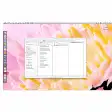
Recording your computer's screen activity, also known as screencasting, is getting more and more attention these days. Fairly easy to produce and quick to show, it's a good way to show tips and ideas on video. Screenflick is simple and clear application that should allow beginners to get to grips it. The interface is set up so that you always easy access to your movies and different settings. You'll be able to adjust screen size, video options and audio recording. You can have the camera follow around your cursor and show mouse clicks.
Recording itself is fairly easy, and you can resize the recording space anytime or even opt for 1/8, 1/4, 1/2, 3/4 or full screen sizes. Recording quality is good and you can set Screenflick up to capture up to 30 rates per second, quite sufficient for a computer screen. One minor drawback to the program is that neither a Dock nor a menu bar item show up when you launch. As the developer writes on his page though, you can always activate the program by pressing Shift-Command-2.
A good application to familiarize yourself with screencasts.
Corrected a permissions issue preventing some users from registering Screenflick for all users on the computer.
Changes
Corrected a permissions issue preventing some users from registering Screenflick for all users on the computer.





























User reviews about Screenflick
Have you tried Screenflick? Be the first to leave your opinion!